Install Rust on Windows, macOS and Linux
Rust is installed with rustup, the official installer from the Rust project. On Windows, download and run rustup-init.exe from rustup.rs; on macOS and Linux, run the one-line script from rustup.rs in a terminal. It is free, installs for your user account, and gives you rustc, cargo and rustup. This is Rust the programming language, not the video game.
Updated · describes Ruststudio 0.1.7
The Rust programming language is a free download from the Rust project. This page shows the official installer for your system, how to check that it worked, how releases and updates work, and what to install next.
| Official installer | rustup, from rustup.rs |
|---|---|
| Price | Free and open source |
| Installs | rustc (compiler), cargo (build tool and package manager), rustup (toolchain manager) |
| Runs on | Windows, macOS and Linux, among others |
| Check it | rustc --version and cargo --version |
| Update it | rustup update |
| Remove it | rustup self uninstall |
| New stable release | Every six weeks |
Interactive
Install Rust on your system
Pick your system (yours is selected once the page has loaded) for the official rustup step, then the checks that prove it worked.
Install Rust on Windows with rustup
Download rustup-init.exe from rustup.rs and run it. It installs Rust for your user account, with no administrator rights.
rustup-init.exe (64-bit x86)most PCsrustup-init.exe (ARM64)Windows on Arm
Rust on Windows links with the Microsoft C++ build tools. If they are missing, rustup-init offers to install them for you; say yes, or install “Desktop development with C++” from the Visual Studio installer.
Check that it works
Open a new terminal (PowerShell or Command Prompt) so the changed PATH is picked up, then run:
rustup default stable      # use the stable toolchain
rustc --version            # the compiler answers with its version
cargo --version            # so does Cargo, the build tool
rustup component add rust-analyzer   # code intelligence for editors and IDEs
rustup update              # later: move to the newest stable release
Set up an IDE
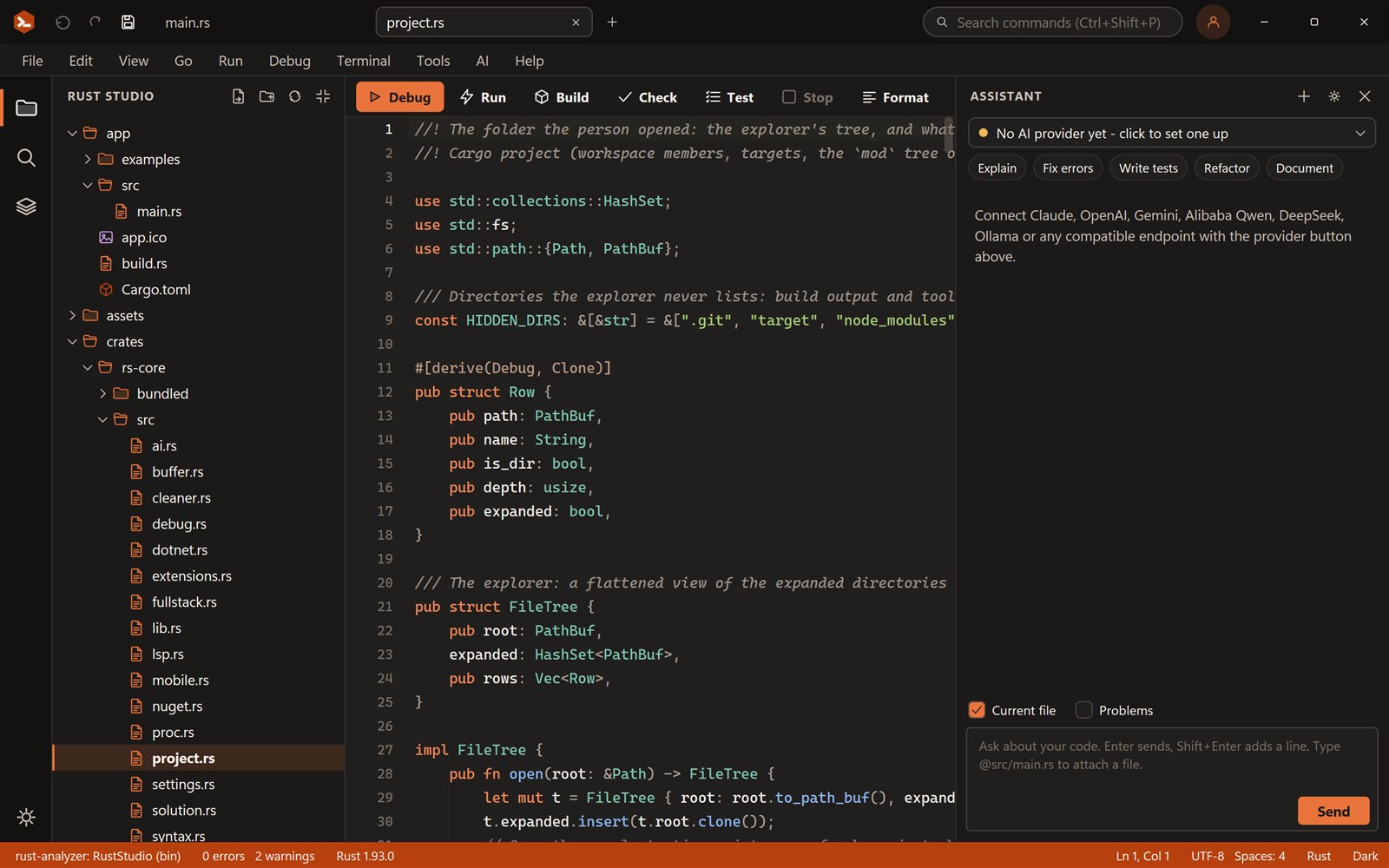
Rust is now on your machine; an IDE turns it into a place to work. Ruststudio is a free, native Rust IDE with rust-analyzer, Cargo and a debugger built in. Ruststudio’s Windows installer can also run rustup for you if Rust is missing, so you can start from the IDE instead.
The installer and commands are the official ones from rustup.rs. Rust is free and open source; this site does not host or change it.
Rust download and install, by system
| System | How to install Rust | Also needed | Where it goes |
|---|---|---|---|
| Windows 10 and 11 | Download rustup-init.exe from rustup.rs and run it | Microsoft C++ build tools (rustup-init offers to install them) | %USERPROFILE%\.cargo and %USERPROFILE%\.rustup |
| macOS | Run the rustup script from rustup.rs in Terminal | Apple’s command-line tools (xcode-select --install) | ~/.cargo and ~/.rustup |
| Linux | Run the rustup script from rustup.rs in a terminal | A C linker, for example build-essential on Debian and Ubuntu | ~/.cargo and ~/.rustup |
Rust download for Windows
Rust runs on Windows 10 and 11 and is fully supported there. To download Rust for Windows, go to rustup.rs, download rustup-init.exe (there is a 64-bit x86 build for most PCs and an ARM64 build) and run it. The installer works in a console window, installs for your user account and needs no administrator rights.
Rust on Windows uses the Microsoft C++ build tools to link programs. If they are missing, rustup-init offers to install them; you can also install the “Desktop development with C++” workload from the Visual Studio installer. You do not need the Visual Studio IDE itself.
- Download rustup-init.exe from rustup.rs and run it
- Accept the default installation (the stable toolchain for MSVC)
- Open a new terminal and run rustc --version
Install Rust on macOS
On a Mac, open Terminal and run the script shown on rustup.rs. It works on Apple silicon and Intel, installs into your home folder and adds cargo to your shell’s path. Rust needs Apple’s command-line developer tools for linking; xcode-select --install adds them if they are missing.
curl --proto '=https' --tlsv1.2 -sSf https://sh.rustup.rs | shInstall Rust on Linux
On Linux, run the same rustup script in a terminal. It needs no root, because it installs into ~/.cargo and ~/.rustup. Install your distribution’s compiler tools first, since Rust uses the system linker. Distribution packages for Rust exist too, but they are often older than the current stable release; rustup always gives you the current one and lets you switch versions.
curl --proto '=https' --tlsv1.2 -sSf https://sh.rustup.rs | shRust releases, versions and release notes
Rust has three channels. Stable gets a new release every six weeks and is what almost everyone should use. Beta is the next stable, and nightly is built every day with experimental features. rustup installs stable by default; rustup update moves you to the newest release, and rustup toolchain install nightly adds another channel beside it.
The Rust release notes list what changed in every version, and the Rust blog announces each release. To see which version you have, run rustc --version.
rustc --version                  # which version is installed
rustup update                    # move to the newest stable release
rustup toolchain install nightly # add the nightly channel
rustup default stable            # choose what cargo uses
Rust the language, not the game
Two things are called Rust. This page, and this website, are about the Rust programming language, which is free and comes from rustup.rs. If you were looking for the survival video game Rust, by Facepunch Studios, that is a different product, sold through game stores such as Steam, and nothing here will install it.
Next: set up a Rust IDE
With rustc and cargo installed you can already build from a terminal: cargo new hello, then cargo run. An IDE adds errors as you type, completion, a debugger and project templates. Ruststudio is a free, native IDE made only for Rust, for Windows, macOS and Linux; it uses the toolchain rustup just installed, and on Windows its installer can run rustup for you.
- rust-analyzer for completion, errors and go to definition
- F5 to build and debug, with breakpoints and stepping
- Templates for web, desktop, Android, libraries and command-line apps
- Download Ruststudio Free for personal and commercial use
- The best IDE for Rust, compared RustRover, VS Code, Zed, Helix and Ruststudio
How does it work?
Get rustup
Windows: download and run rustup-init.exe from rustup.rs. macOS and Linux: run the script from rustup.rs in a terminal.
Accept the defaults
The default installation is the stable toolchain for your system. On Windows, let it install the Microsoft C++ build tools if they are missing.
Check it
Open a new terminal and run rustc --version and cargo --version. Each prints its version number.
Install an IDE
Download Ruststudio, choose New Project and press F5 to build and run your first program.
Frequently asked questions
Something else? Ask in the community forum or send feedback.
How do I download Rust?
Go to rustup.rs, the official installer of the Rust project. On Windows download and run rustup-init.exe; on macOS and Linux run the one-line script it shows. The download is free.
How do I download Rust for Windows?
Download rustup-init.exe from rustup.rs and run it. It installs Rust for your user without administrator rights and offers to install the Microsoft C++ build tools that Rust needs for linking.
Does Rust run on Windows?
Yes. Windows 10 and 11 are fully supported by the Rust project, and Rust programs compile to ordinary Windows executables. The usual toolchain on Windows is MSVC; a GNU toolchain is also available.
Is the Rust download free for PC?
Yes. The Rust programming language, its compiler and Cargo are free and open source on every system. (The video game called Rust is a different, paid product.)
Is there a Rust installer?
Yes: rustup. On Windows it is the program rustup-init.exe; on macOS and Linux it is a script you run in a terminal. Both come from rustup.rs.
Where are the Rust release notes and changelog?
On doc.rust-lang.org/releases.html, with an announcement for each release on the Rust blog at blog.rust-lang.org. A new stable version of Rust is released every six weeks.
How do I update Rust?
Run rustup update. It downloads the newest stable release and keeps your other toolchains in step.
How do I uninstall Rust?
Run rustup self uninstall. It removes rustup, the toolchains and the cargo home in your user folder.
Do I need Visual Studio to install Rust on Windows?
You need the Microsoft C++ build tools, not the Visual Studio IDE. rustup-init offers to install them, or you can add the “Desktop development with C++” workload from the Visual Studio installer.
Is this the Rust game?
No. This page is about the Rust programming language. The survival game Rust is made by Facepunch Studios and is sold through game stores.
What should I install after Rust?
An editor or IDE with rust-analyzer. Ruststudio is a free, native Rust IDE for Windows, macOS and Linux with a debugger, templates and package views built in.