The best IDE for Rust, compared
The best IDE for Rust depends on your needs: RustRover is a full commercial IDE from JetBrains, VS Code with rust-analyzer is the most common free setup, Zed and Helix are fast editors written in Rust, and Ruststudio is a free, native IDE made only for Rust with a debugger, solutions, templates and package views built in.
Updated · describes Ruststudio 0.1.5
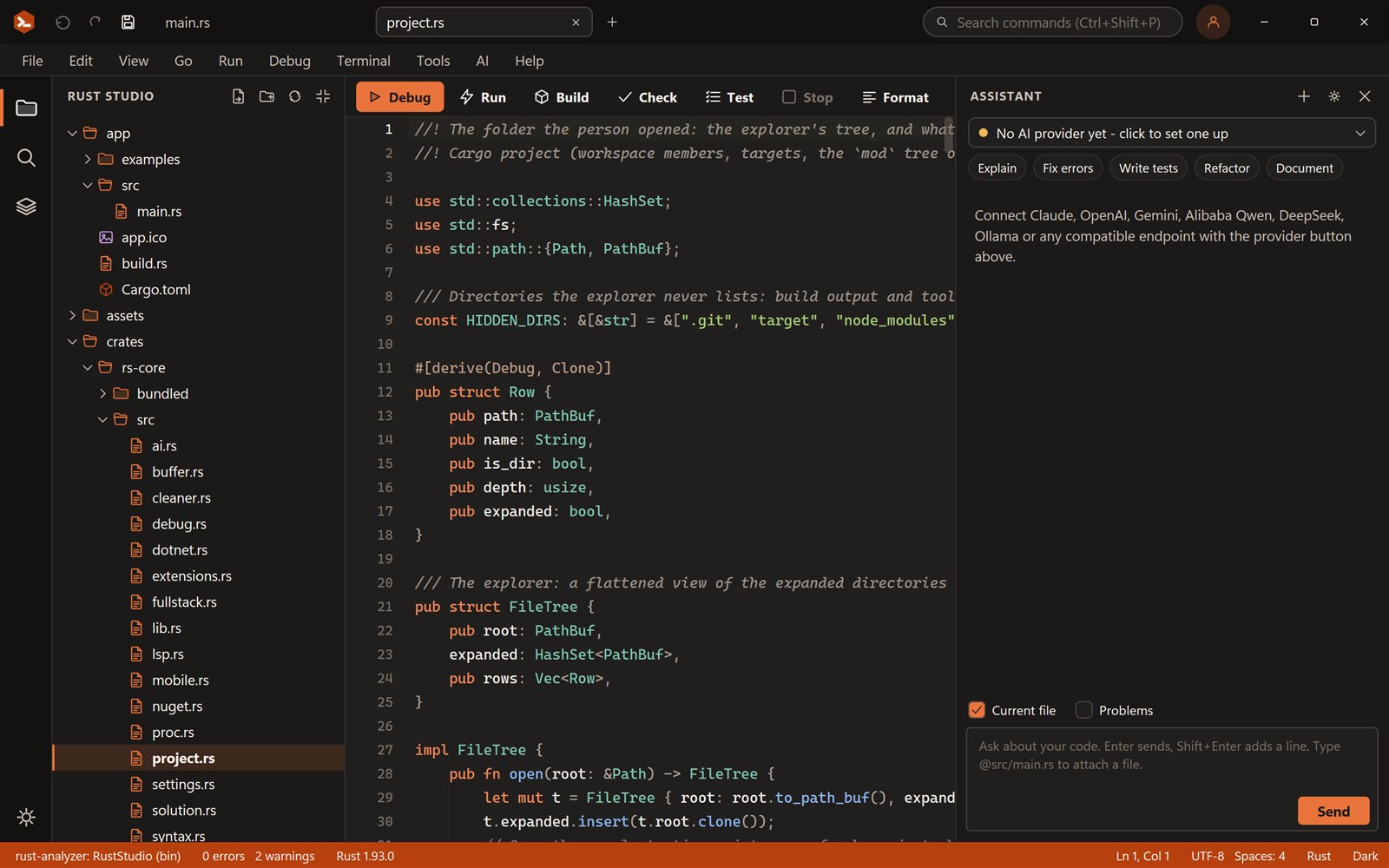
There is no single best Rust IDE, only the best one for how you work. Here is how the main choices differ, what to look for, and where each one is the right pick.
Rust IDEs and editors at a glance
| Item | Kind | Cost | Code intelligence | Best when you want |
|---|---|---|---|---|
| Ruststudio | Native IDE made only for Rust (Windows, macOS, Linux) | Free for personal and commercial use, closed source | rust-analyzer | One app with debugger, solutions, templates, database and package views, no extensions to assemble |
| RustRover | Full IDE from JetBrains | Free for non-commercial use, paid for commercial use | JetBrains analysis engine | The JetBrains workflow, refactorings and database tools you already know |
| VS Code with rust-analyzer | General-purpose editor plus extensions | Free | rust-analyzer | One editor for many languages and the biggest extension choice |
| Zed | Fast editor written in Rust | Free, open source | rust-analyzer | A quick, modern editor with built-in collaboration and AI features |
| Helix | Terminal editor written in Rust | Free, open source | rust-analyzer through LSP | Keyboard-driven editing in the terminal with little configuration |
| Neovim | Terminal editor, scriptable | Free, open source | rust-analyzer through LSP | A fully customised modal editor you build yourself |
What a Rust IDE actually needs
Almost every serious Rust setup uses rust-analyzer for completion, errors as you type, types on hover and go to definition, and Cargo for building, testing and running. What differs is everything around them: whether you can debug without leaving the window, how several crates are managed, how much you must configure, and how heavy the program is.
- Code intelligence that stays fast on large workspaces
- A debugger with breakpoints, stepping and variable inspection (usually through lldb or gdb)
- Workspace and project management for several crates
- Toolchain choice: stable, nightly or a pinned version through rustup
- Package and dependency views, Git and a terminal
- Optional AI help that you can control, or turn off
Which one should you pick?
If you already live in VS Code for other languages, VS Code with rust-analyzer is the sensible default and costs nothing. If your team uses JetBrains products and pays for them, RustRover fits in. If you like terminal editors, Helix or Neovim are excellent. Zed suits people who want a very fast graphical editor.
Ruststudio is for developers who write mostly Rust and would rather install one program than assemble an editor from extensions. It is a native program, about 10 MB on disk, with the debugger, solutions with many projects, web, desktop and Android templates, database connectors, the Cargo Cleaner and an AI assistant that uses your own keys already built in. It is closed-source freeware, so if open source matters to you, one of the editors above is a better match.
Which IDE has the best AI assistant for Rust?
Most editors now offer AI help, and the useful differences are control and cost: which model you can use, whether you pay per seat or per token, and whether a suggestion changes your files without asking. Ruststudio’s assistant works with the provider you choose (Claude, OpenAI, Gemini, Qwen, DeepSeek, Mistral, Groq, xAI, OpenRouter) with your own key, or a local model through Ollama, LM Studio or llama.cpp with no key. It sends only what you attach, and code reaches your files only when you press Apply.
Frequently asked questions
Something else? Ask in the community forum or send feedback.
What is the best IDE for Rust?
It depends on how you work. VS Code with rust-analyzer is the most common free choice, RustRover is a full commercial IDE, Zed and Helix are fast editors written in Rust, and Ruststudio is a free native IDE made only for Rust with the debugger, solutions, templates and package views built in.
What is the best free IDE for Rust?
VS Code with rust-analyzer and Zed are free and open source or mostly open. Ruststudio is free for personal and commercial use and bundles the debugger, templates, database connectors and an AI assistant. RustRover is free only for non-commercial use.
Which IDE has the best AI assistant for Rust development?
The one that lets you choose the model, keeps your code private and asks before it changes a file. Ruststudio works with your own API key for many providers, or a local model, and applies code only when you press Apply.
Is there a Rust IDE for Windows?
Yes, several. Ruststudio is a native Rust IDE for Windows 10 and 11 that installs for your user without administrator rights. VS Code, RustRover and Zed also run on Windows.
Do I need an IDE for Rust at all?
No. cargo and a text editor are enough to start. An IDE saves time once projects grow: rust-analyzer finds errors as you type, a debugger replaces println, and project and package views keep several crates in order.
What is the best Rust IDE for beginners?
One that works after a single install and shows errors where they happen. Ruststudio installs Rust for you on Windows and has templates and interactive demos; VS Code with rust-analyzer is also common among beginners and has many tutorials.