Install
No administrator rights
A per-user install with a silent option for IT (Setup.exe /S /D=C:\Tools). If Rust is not installed, the installer can run rustup for you.
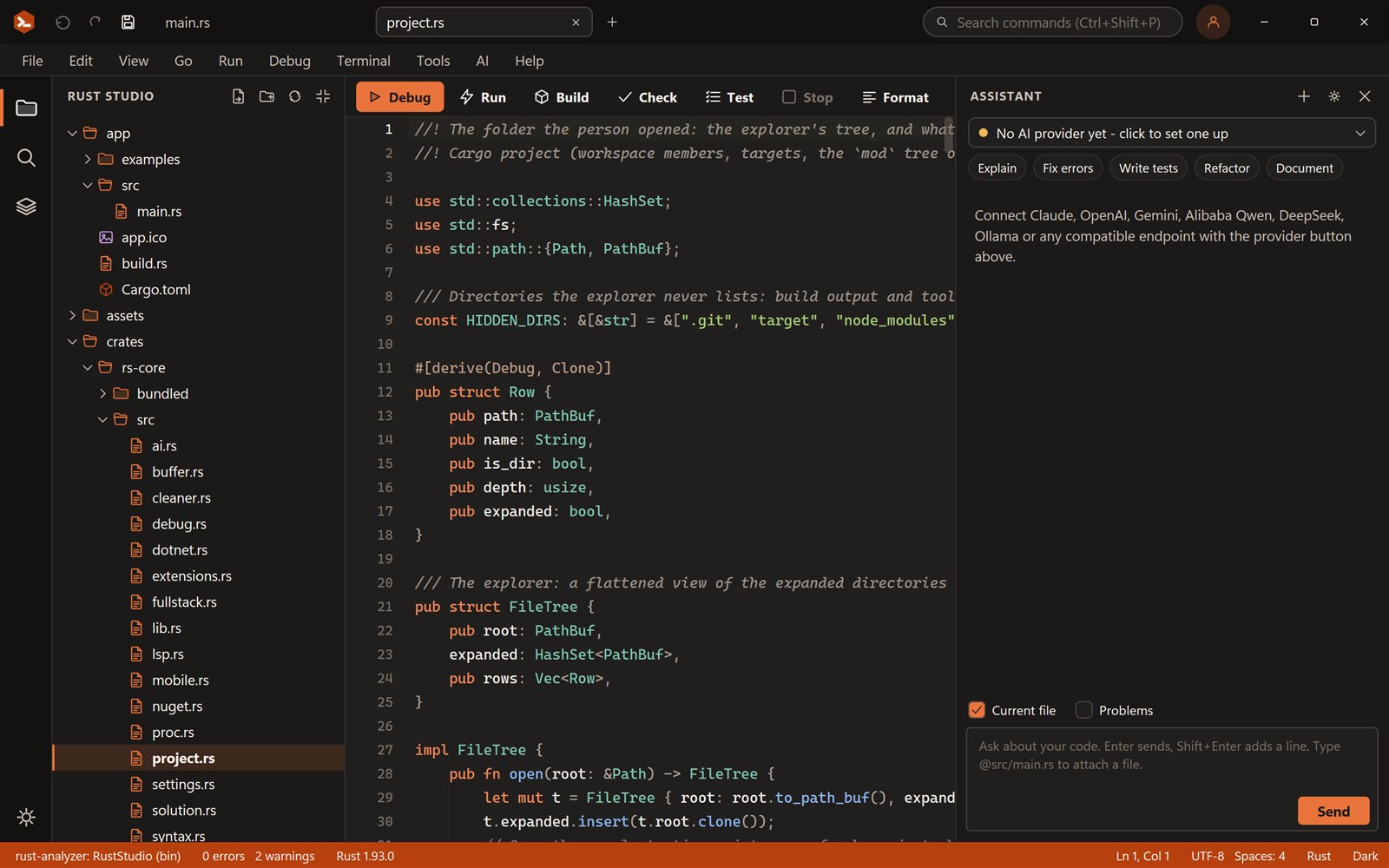
Rust Studio/Rust IDE for Windows
Rust Studio starts instantly because it is a native Windows program. It installs for your user only, can set up the Rust toolchain for you, and has Visual Studio style keys for debugging.
Install
A per-user install with a silent option for IT (Setup.exe /S /D=C:\Tools). If Rust is not installed, the installer can run rustup for you.
Debug
F5, F9, F10 and F11 work as in Visual Studio, with a call stack, variables and watches.
Learn more →Desktop
Start a Windows app from a template and run it with one key.
Learn more →Web
A Rust backend with Swagger, a front end and one command to run both.
Learn more →Rust Studio uses the Rust toolchain you already have: rustup toolchains, cargo, clippy, rustfmt and rust-analyzer. It also copes with the things that make Rust on Windows awkward, such as long target folders and the MSVC linker, and it lists what is missing instead of failing with an error.
Get the installer from the download page and, if you like, check the SHA-256.
Run it. It installs for your user and can add Rust if it is missing.
Choose New Project, pick a template and press F5.
No. Rust Studio is a separate program. Rust itself needs the Microsoft C++ build tools or the GNU toolchain to link programs, and the Android and debugger set-up checks tell you what is missing.
Yes. Rust Studio is free for personal and commercial use, with no licence key and nothing to pay. Use it for 7 days straight away; after that you sign up for a free account with your e-mail address. It is closed-source freeware.
Rust Studio is a product of FOWLGUARD, the company behind Fowlguard Secure and Fowlguard Productivity. It is one of its free tools; see fowlguard.com.
Windows 10 and 11 (64-bit), macOS and Linux (x86-64, X11 or Wayland). You can build for the desktop, the web and Android from it. iOS builds need a Mac with Xcode.
Download Rust Studio, the free Rust IDE by FOWLGUARD for Windows 10 and 11, macOS and Linux. Per-user install, no adm…
Debug Rust like in Visual Studio: breakpoints (F9), start (F5), step over (F10), step into (F11), step out (Shift+F11…
Build Windows desktop apps in Rust with Tauri, Slint or egui. Rust Studio gives you project templates, solutions, a o…